
I don’t know about you, but the older I get, the easier it is to buy my own post-Christmas presents. It might also have something to do with my wife’s reluctance to delve into the geekier aspects of my wish list. But, with the holiday season behind us, it’s time to start the New Year off in style with some technology that will brighten your mood and lift your productivity.

Logitech Revue with Google TV
I have to admit that I’ve been waiting for six months to play with the Logitech Revue, ever since I saw the demo at Google’s IO developer conference last May. With Google TV, you can finally merge your TV viewing experience with the power of the Internet. Now you can search for and view content from the Web, TV listings, or your DVR. Imagine watching the next NBA game with customizable live stats and comments from your friends. With the optional camera you can turn your TV into an HD quality video conferencing solution for holding meetings with your branch offices. Add in the ability to use your cell phone as a remote and the ability to run apps right on the TV and you’ve got a winning multimedia system that maximizes your work and relaxation time.
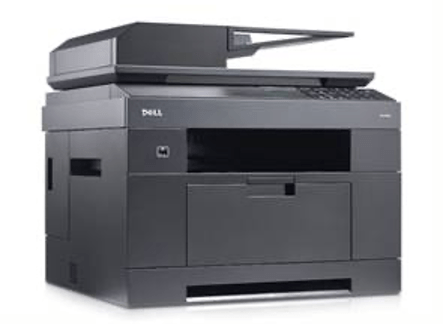
Dell Multifunction Laser Printer 2335dn
In my book, you just can’t go wrong selecting a laser printer over the typical ink jet variety. That’s why I’m so excited about the new lower costs on Multifunction Laser Printers. Dell has a good selection and prices that make the buying decision easy. The 2335dn gives you the standard print, fax, copy and scan at speeds up to 35 ppm. It’s built in Ethernet port means that anyone in the office can use it for printing or scanning. And with a duty cycle rated at 35,000 pages per month, why would you enter into a costly copy machine lease ever again?

Filpboard
Sometimes, the best things in life are either: 1) not things at all, 2) are free, or 3) make you smile. Lately I’ve been playing with my new iPad (which clearly isn’t free and thereby disqualifies itself.) But, with that said, I found a really cool app that fits all three of the criteria. Flipboard is an application that lets you read both web content and social networking content (twitter/facebook) in a more traditional magazine format. It’s a perfect companion to iPad’s form-factor. Sitting back in an easy chair to catch up on recent events and informative articles has never been so much fun. And it feels so good to say goodbye to the endless piles of magazines and newspapers cluttering up the house.
2010 has been a crazy year of innovation and change with plenty of unknowns in the future. So make a new year’s resolution to start this year off right by investing in your own little stimulus package. Luckily technology has never been so much fun and so useful at the same time.


Leave a Reply